
Wireframe and hi-fi design are both part of the ideation phase of the UX design process. It is the third phase in the UX design process. After doing research and defining a requirement for the digital product or service, the UX design team transforms an idea into a user-centric product design in this phase. The UX team visualizes digital screens and how the end user would navigate from one screen to another during this process. Then, the UX team presents its ideas to different stakeholders, the client, and the engineering team before development starts.
The success of any digital product depends on how the user needs and expectations have been incorporated into the digital product design. Making an excellent digital product or service that enriches an end-user’s experience and life, requires wireframing and hi-fi design in all five phases of the UX design process. Both elements are fundamental in the design process, and each one plays a diverse but complementary role. Using both wireframing and hi-fi design efficiently can be a path to a more successful digital product design.
Let us understand the meaning of both these terms.
Wireframe vs High Fidelity Design: What is a Wireframe?
A wireframe is a blueprint of the user interface of a digital product, such as in app design, whether it is slated to be a web app, a website, or a mobile application. A wireframe acts as a basic blueprint and visual representation of the interface, providing a rough sketch that illustrates the structure and layout without detailed colors or graphics. As a preliminary design step, it focuses on structure, layout, content hierarchy, and functionality using basic shapes as placeholders to represent interface components. Wireframes establish the basic structure of the user interface before moving to more detailed design stages. It is considered a crucial step and a foundation of delightful design.
Wireframe Types

Wireframes come in several forms, each serving a unique purpose in the UX design process. The main types are low fidelity wireframes, high fidelity wireframes, and, occasionally, mid-fidelity wireframes. Understanding these types helps design teams choose the right level of detail and interactivity for each stage of a project.
Low Fidelity Wireframes
Low fidelity wireframes, often called lo fi wireframes, are basic blueprints that use simple shapes, lines, and placeholders to represent the overall layout and structure of a user interface. These wireframes avoid detailed design elements, focusing instead on the core features, user flow, and placement of key elements. They are typically created quickly—sometimes as paper sketches or with basic digital tools—making them ideal for brainstorming, early-stage user research, and gathering initial feedback from stakeholders or the development team. Because they are easy to modify, low fidelity wireframes support rapid iteration and help teams explore multiple design concepts without getting bogged down in visual aesthetics.
High Fidelity Wireframes
High fidelity wireframes, or hi fi wireframes, are much more detailed and closely resemble the final product. They include precise UI elements, detailed visualization of content, and often incorporate branding, typography, and actual images. Hi fidelity wireframes may also feature interactive components, such as clickable links or conditional logic, allowing users to interact with the design as they would with the finished app or website. These wireframes are typically created with advanced prototyping tools and are used in later stages of the design process to validate user interactions, conduct usability testing, and provide detailed feedback for the development team. High fidelity wireframes are especially useful for communicating the final design vision to stakeholders and ensuring that all design details are accounted for before development begins.
Mid-Fidelity Wireframes
While less common, mid-fidelity wireframes offer a balance between low and high fidelity. They include more detail than basic wireframes—such as refined layouts and some visual hierarchy—but stop short of full color, branding, or interactive elements. Mid-fidelity wireframes are useful when teams need to clarify user flow and structure without committing to final design features.
Paper Prototypes and Interactive Prototypes
Wireframes can also be categorized by their format. Paper prototypes are hand-drawn sketches that allow for quick, low-cost exploration of ideas and user flows. Digital wireframes, on the other hand, can be static or interactive. Interactive prototypes, whether low or high fidelity, enable users to click through screens and experience basic navigation, making them valuable for early user testing and gathering actionable feedback.
Choosing the Right Wireframe Fidelity
Selecting between low fidelity vs high fidelity wireframes depends on the project scope, stage in the design process, and the type of feedback needed. Early stages benefit from low fidelity designs for rapid ideation and validation, while later stages require high fidelity wireframes or prototypes to refine detailed design elements and test real user interactions. By understanding the strengths of each wireframe type, design teams can create user-friendly, effective interfaces that meet both user needs and business goals.
What is High-fidelity Design?
High fidelity UI has a realistic and detailed design in terms of the look and feel. High-fidelity design often involves creating detailed mockups and high-fidelity prototypes to closely simulate the final product. It incorporates stylistic elements like specific colours, typography, branding, high-resolution graphics, and actual content, just like a final digital product for the user. Hi fi prototypes are commonly used for usability testing and stakeholder approval in this stage.
Wireframe vs High-fidelity Design
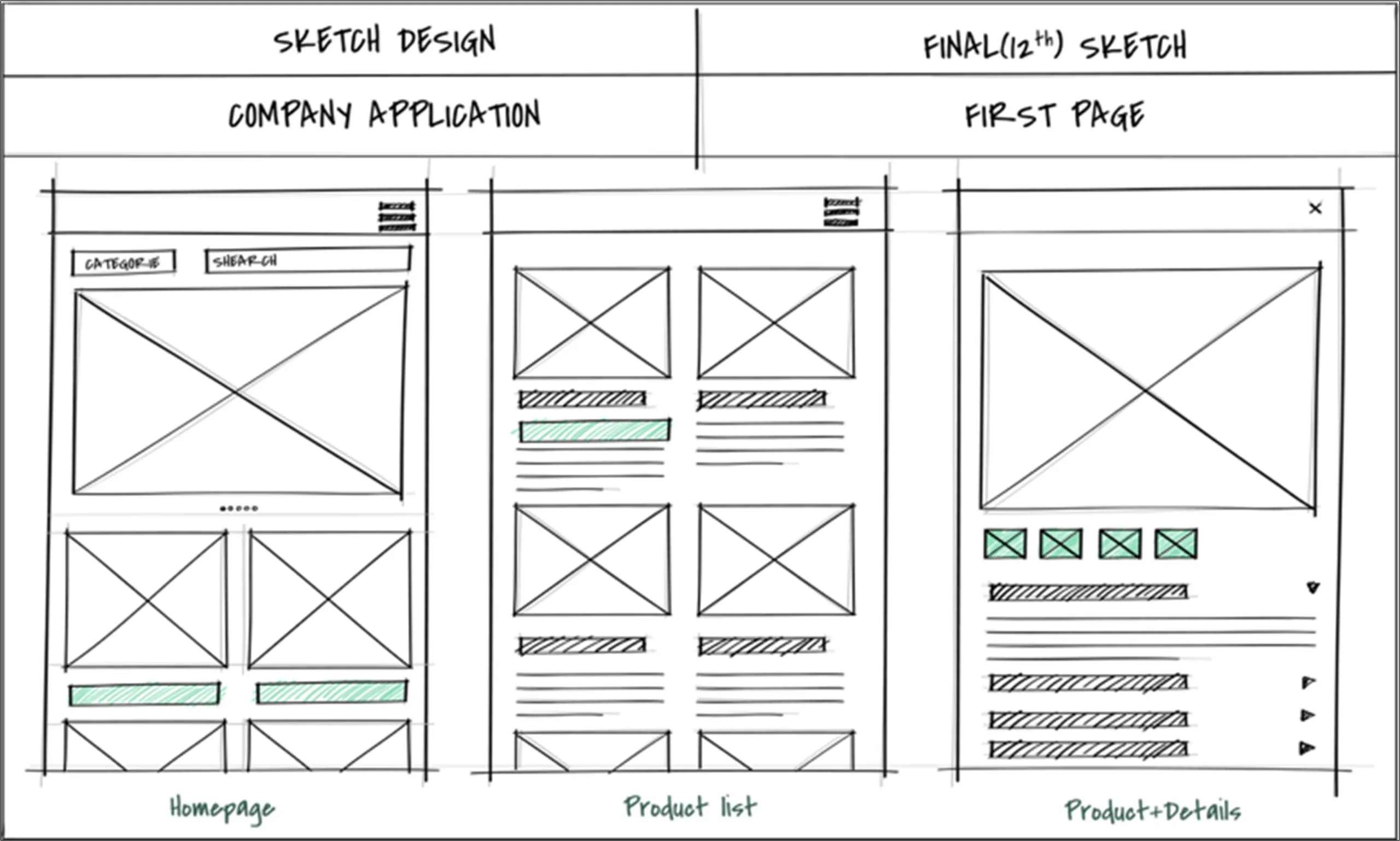
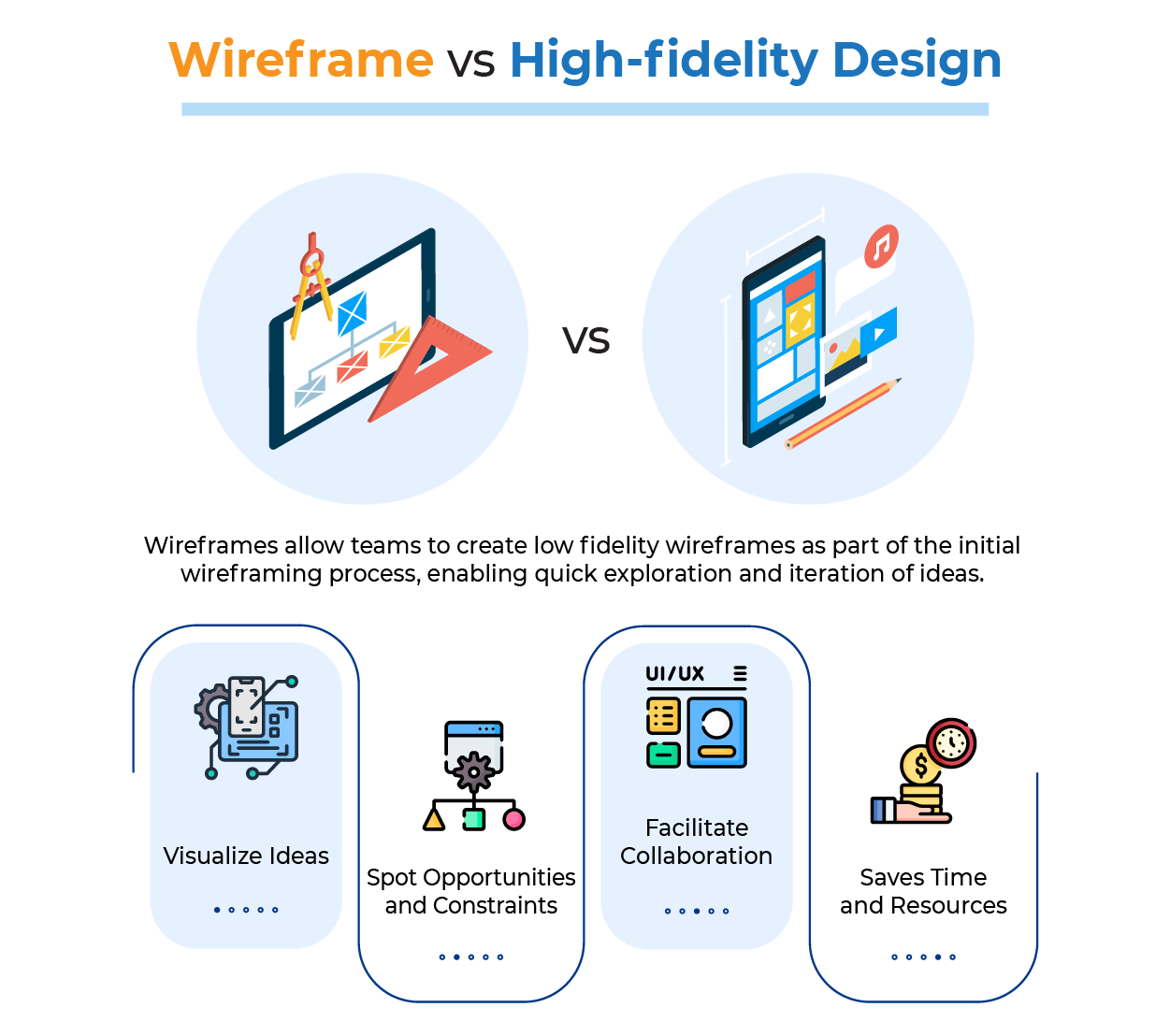
Wireframes allow teams to create low fidelity wireframes as part of the initial wireframing process, enabling quick exploration and iteration of ideas.
- Visualize Ideas: Wireframing helps designers to ideate and conceptualize different elements on a screen. It serves as a rough draft of the interface, enabling designers to place basic elements on a screen in the preliminary stages of the design process.
- Spot Opportunities and Constraints: It helps design to identify opportunities to improve user experience at an early stage, along with usability challenges and technical limitations.
- Facilitate Collaboration: Creating wireframes is quick and they are easy to modify. This makes it an ideal way to collaborate with developers and stakeholders, along with the designer.
- Saves Time and Resources: A wireframe is helpful in identifying and resolving issues at an early phase, rather than later in the development. During the development phase it would be a time-consuming activity.
- Visualize Ideas: Wireframing helps designers to ideate and conceptualize
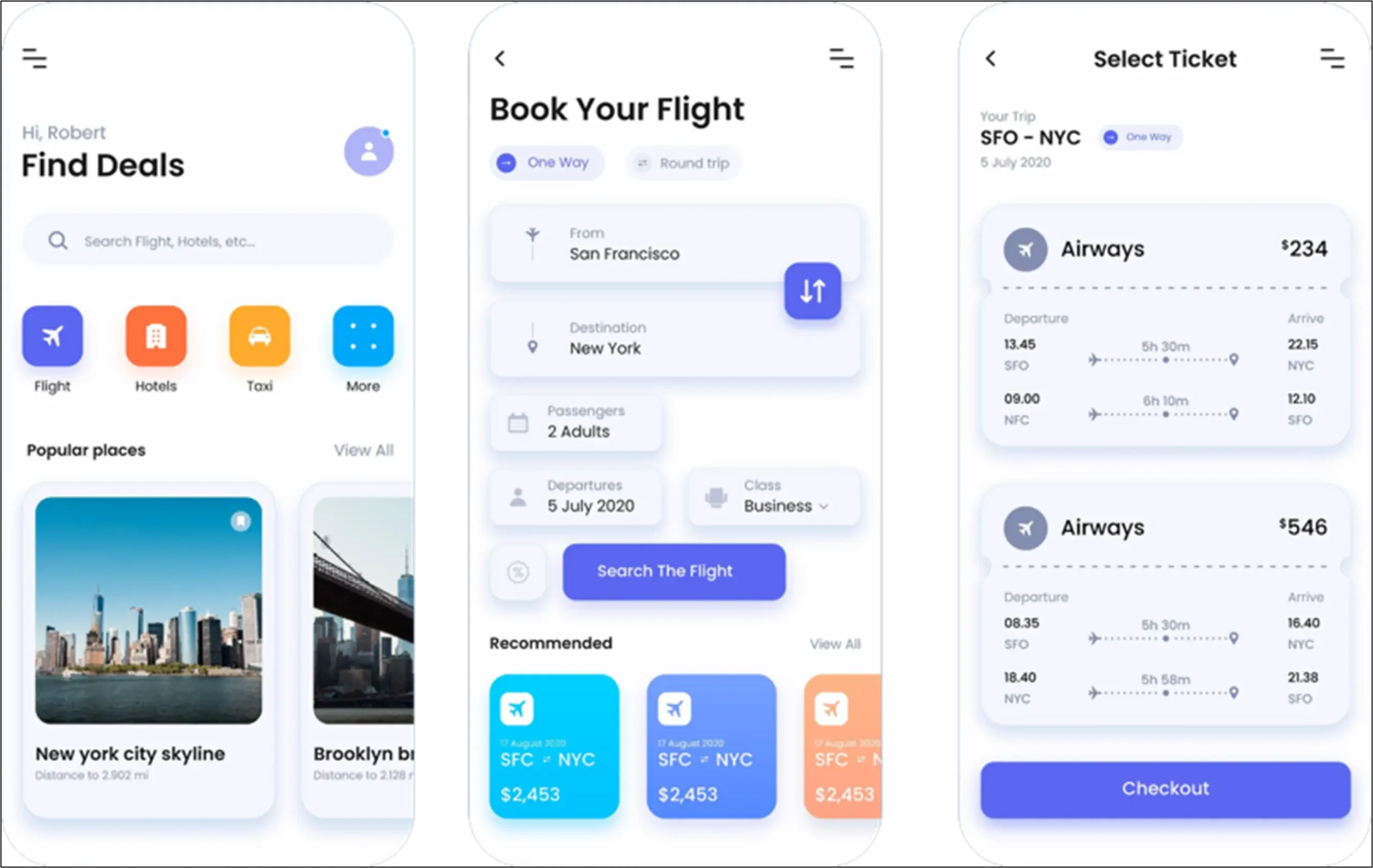
In contrast, high-fidelity UI design represents the near-final version of the digital product, incorporating all elements based on branding, style, and content.
- Realism: Hi-fi designs are near the final design of the digital product, and so they feature all the elements based on the branding elements, style, and content.
- Detail: It includes precise dimensions, specific colour schemes, and appealing typography, along with actual content and images. While detailed wireframes can be useful for refining design, they may be time-consuming to create and less flexible for revisions.
- Interactivity: Hi-fi designs are interactive and clickable, this aspect allows users to experience the product’s navigation and functionality before the development phase.
- Digital Tools: They are created using digital tools, which allows for a more realistic and refined representation of the final design.
Let us discuss the purpose and benefits of both phases.
Advantages of Wireframes
- Brainstorming and Ideation: To explore unique design solutions, wireframes are good, as they are easily created with multiple options.
- Collaboration with Different Teams: Wireframes are helpful for designers to collaborate with other team members, stakeholders, and the project manager, along with the development team, and they become a useful tool for discussion and feedback. Wireframes also make it easy to gather feedback from team members and stakeholders.
- Useful for User Testing: Wireframes are created with a basic layout structure; these are perfect for initial user testing and useful for concept verification. The design team can verify basic navigation and usability, and users can provide feedback on these aspects without creating detailed designs.
- Cost Effective and Easily Refining: Due to low fidelity, wireframes are cost-effective to evaluate and refine design.
Incorporating user feedback at the wireframing stage is essential to refine and improve the design before moving to high-fidelity design.
Advantages of a Hi-fi Design
- Help the Design Team with User Testing: A hi-fi design is created with all the necessary and actual information; this allows the design team to perform user testing by sharing the prototype with the target audience to validate design choices and get feedback.
- Get Approval from Stakeholders: A hi-fi design has a greater level of detail, making it as close to the final design of a digital product or service as possible. It can help stakeholders and investors clearly understand the final product.
- Make the Development Process Easy: As it is close to the final product, it reduces any misunderstanding and helps streamline the development process for the engineering team.
- Get more Context and Clarity: Hi-fi design gives greater clarity on the essential functionality and aesthetical design by including detailed visual elements, such as button placements and color contrasts, which facilitate precise feedback and allow observation of how users interact with the interface.
When to Use Wireframe Applications?
Wireframes must be created early in the design process, for example during brainstorming for any digital product or service, such as a mobile app. At this stage, teams often use low fidelity prototypes and paper prototype methods—like paper sketches—to quickly iterate on ideas and visualize screens. This approach helps the design team explore different layouts for workshops and initial user-testing after the requirement-gathering phase. It is also helpful in gathering feedback quickly without going into the details of design. Using low fidelity prototypes and paper prototypes makes for a cost-effective way of testing and refining different ideas before adding the visual design elements into a design.
When to Use Hi-fi Design Applications?
A hi-fi Design is created in the later stages of the design process, but it must be done after low-fidelity wireframes have been made. Teams select high or low fidelity prototypes based on the stage of the design process and the type of feedback required. As it is a detailed version of the design, it can be used as an effective way to communicate with stakeholders or investors. It also helps the design team to validate the user experience, as it gives clarity to the end-user and provides feedback from the end user.
Common Mistakes
Common mistakes include creating or adding more details in the visual design at an early stage of the design, neglecting interaction design during the appropriate phase—which can lead to usability issues later—and disregarding the need to get feedback from stakeholders and users at an appropriate time. Here, we need to understand that they are not competing. Both phases must be used strategically in conjunction in the design process.
Common Wireframing Mistakes:
- Starting with a hi-fi design instead of creating a wireframe.
- Adding many details instead of making it simple.
- Creating all the pages is inefficient at the wireframing stage. The focus must be to identify the key user flow and critical pages.
- While creating wireframes, the designer must focus on the user flow and navigation instead of on individual screens.
- Designers use dummy content while creating wireframes, which may create layout issues if they get lengthy content later.
Common Hi-fi Design Mistakes
- Directly starting work on a hi-fi design without creating a core structure or wireframe may lead to time-consuming and expensive activity.
- After putting in significant efforts to create polished and hi-fi designs, designers might get attached to the designs. This may lead to an unwillingness to make changes given by the user or stakeholders as feedback.
- A polished hi-fi design or detailed UI design of the digital product can distract stakeholders when they need to make decisions on functionality. Presenting wireframes is more useful than hi-fi design.
- As hi-fi designs are a detailed version of the digital product design, making changes in the layout and structure can be challenging.
Final Thoughts
Wireframes and high-fidelity (hi-fi) designs serve different purposes in the design process. Each element provides a unique value at a specific stage of the product or service development.
Wireframes are simple, quick, and abstract representations that help the design team focus on layout and structure by using placeholder content. This phase supports brainstorming design ideas and obtaining initial feedback and confirmation from developers, stakeholders, or clients. It is also useful for communicating the basic concept of the product or service to clients.
Hi-Fi designs are detailed, realistic representations of both functional and visual requirements. They include UI elements with colors, actual content with fonts, visuals with branding, and images. These designs are used to evaluate basic functionality, interactions, and user flow, and for handing off the design to the development engineering team for implementation.